Showing posts with label drafting. Show all posts

Saturday, May 26, 2018

Wooden Pen Holder

I have spent many years making pens. From a simple twist pen to a Mont Blonc using scrap maple, acrylic plastic, even t6 Aluminium. Pens make wonderful gifts for people who can apreciate the fine craftsmenship and the value of a good quality pen.  But in the end, a pen; be it fancy or cheep ends up in a junk drawer if it has no other home.

This pen holder is a simple addtional project to go with the perfect gift. you can make it out of the same wood to match the pen or use something with more contrast. the project takes a few days and relys on the bandsaw and a spindel sander.

enjoy.

Pen Holder PDF


Wednesday, July 1, 2015

Autodesk Inventor and the 3D Printed Car

I have had students using Autodesk Inventor and Slic3r to design cars for awhile now. Students can design cars both with moving wheels and stationary. the cars are very easy to design, a 12 year old student has no problem going through the tutorial and producing the stationary wheel car in about an hour. As far as learning goes this project exposes students to a wide range of 3D modeling and printing techniques. Prior to designing the cars in Inventor teachers could go through the design process with the students and have them design their car around a given brief, or just let them have some fun with it. In order to differentiate the instruction of this project as much as possible I have made a written/picture tutorial and a video tutorial.


Written Tutorial Part 1 -Modeling the moving car
Written Tutorial Part 2 - Inventor assembly of moving car
Written Tutorial Part 3 - Slic3r set up


Moving Car Video Tutorials

             Video Tutorial Part 1 
             Video Tutorial Part 2
             Video Tutorial Part 3
             Video Tutorial Part 4

Stationary Car Video Tutorials
     
           Video Tutorial Part 1
           Video Tutorial Part 2


Wednesday, September 14, 2011

Introduction to Sumo Robot Design

This is both an introduction to Inventor and an introduction in to sumo robotics. The idea is that students run through the tutorial learning how to design a sumo bot. once this tutorial is completeted students have to design their own bot. The simplicity of the tutorial keeps the kids designs simple. Watch for more sumo tutorials in the near future.

Get the file here!

Tuesday, August 30, 2011

Drafting and Angry Birds

I was surfing around the internet the other day with no real point. It is summer vacation so i can do that! I stumbled across a blog entry about paper craft angry birds on the little plastic Man blog. I thought to myself " I teach kids. Kids like Angry Birds. I will get the kids to layout and make their own Angry Birds."

I modified the layout from the Little Plastic Man blog so they have a full set of dimensions and so there is no colour. The plan is to give the students the new dimension drawings and have them layout and colour their own Angry Birds. To make it a little more fun I will have some kids make the pigs and prop them up in a card castle. The students will have to flick their birds and try to knock down the pigs. We will see how it goes.

Download the dimension drawings Yellow Bird Red Bird Blue Bird White Bird Pig Old Pig King Pig

Thursday, April 28, 2011

Intro to GibbsCAM


There are a million CAM programs out there. The one that I use is GibbsCAM it is a very versatile program endorsed by Jay Leno. So it's got to be good. Any way, this is my intro tutorial which merges an AutoDesk Inventor file with GibbsCAM and then is exported to Mach 3. It is a very unique assignment, but if you have all three software programs and you need a place to start this is it.

Link:

GibbsCAM 1

Intro to AutoCAD


Here are my first 3 drafting exercises I do with level 1 drafting students. they are all pretty simple and work well with most releases of AutoCAD despite there constant mixing of the interface. Feel free to try these out, I will try to post a few more in the future.

AutoCAD 1


AutoCAD 2

AutoCAD 3

Intro to Revit 2011


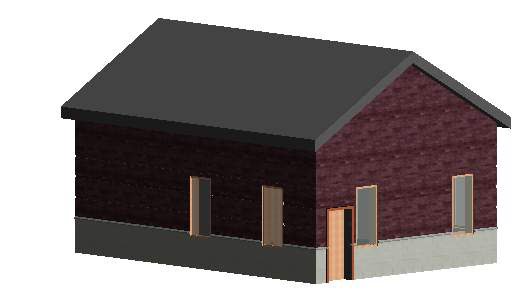
If you are like me you find that the stock tutorials in Revit are way over your students heads. I have developed this tutorial that walks students through some basic steeps to draw a small house. It normally takes a few days to complete. Once finished i find that the students have a good enough understanding to start the Revit online tutorials on the Student.Autodesk site.

Link:


Intro to Revit

Wednesday, April 27, 2011

Advanced Ortho and Iso in AutoCAD


This is one of my level 2 projects for AutoCad. Before starting it is assumed that the student has completed some basic AutoCad assignments and that they understand AutoCad function. Students will also have to be knowledgeable in using a caliper for measuring before they can start. You will need a block of Lego.

see below link:

AutoCAD intro to architecture


Here is the first post of many. Attatched is my introduction to drawing floor plans in Auto CAD. I typically give this to first year drafting students after a few basic AutoCAD tutorials.